JOIN OUR TELEGRAM CHANNEL • NO ADS • EXCLUSIVE TIPS
🎮 FREE to join — no subscription, no credit card ⚡ Tricks & codes BEFORE website release 🎁 Limited-time game codes & download keys 🏆 Win STEAM GAMES in global contests 🚫 Zero ads • zero spam • 100% clean 📲 Instant delivery — direct to Telegram 🎮 FREE to join — no subscription, no credit card ⚡ Tricks & codes BEFORE website release 🎁 Limited-time game codes & download keys 🏆 Win STEAM GAMES in global contests 🚫 Zero ads • zero spam • 100% clean 📲 Instant delivery — direct to Telegram
JOIN
WHY JOIN THE CHANNEL?
All perks — zero noise • 100% free
💎
100% FREE to join No subscription, no credit card required — ever
Tricks BEFORE website Get exclusive codes and strategies before anyone else
🎁
Limited-time game codes Temporary download keys — grab them fast, they expire
🏆
Steam Games Giveaways Global contests to win full Steam games & gift cards
🚫
Zero Ads • Zero Spam No promotions, no junk — just pure gaming content
📲
Instant Telegram Delivery Everything arrives directly — faster than websites or email
🔒
Members-Only Content Exclusive guides & secrets never published anywhere else
🌍
Global Community Join gamers worldwide and get real-time alerts
JOIN FOR FREE — GET STEAM CONTESTS & EXCLUSIVE CODES

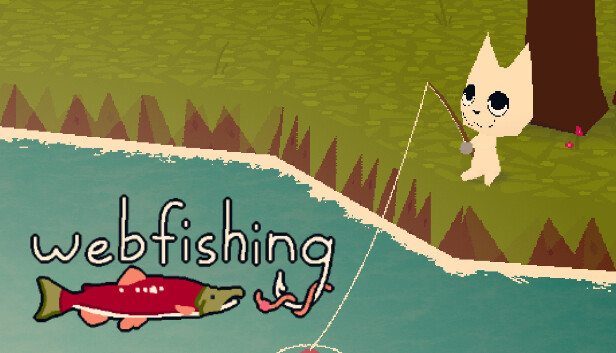
WEBFISHING: come eseguire il backup dei salvataggi

Steam Cloud non è attivo per il gioco WEBFISHING, il che significa che se disinstalli il gioco, formatti il ​​tuo PC o incontri qualsiasi altra situazione simile, nessuno dei tuoi file di salvataggio verrà salvato nel cloud. Questa guida ti fornirà una procedura passo passo su come eseguire manualmente il backup dei tuoi salvataggi e ripristinarli quando necessario.

Come eseguire il backup del salvataggio

Per eseguire il backup dei file di salvataggio WEBFISHING, attenersi alla seguente procedura:

  1. Apri Esplora file.
  2. Tipo %appdata%/Godot/app_userdata/webfishing_2_newver nella barra degli indirizzi e premere Invio.
  3. Copia tutto da webfishing_2_newver cartella.
  4. Incolla i file copiati in una nuova cartella, preferibilmente denominata «backup webfishing».
  5. Archivia questo backup in un luogo sicuro, ad esempio un'unità USB o un servizio di archiviazione cloud come Google Drive.

Ripristino dei file di salvataggio

Se devi reinstallare il gioco o spostare i file di salvataggio su un nuovo PC, segui questi passaggi:

  1. Copia i file dalla cartella «backup webfishing».
  2. Incollateli nella cartella originale: %appdata%/Godot/app_userdata/webfishing_2_newver.

Si consiglia di eseguire regolarmente questo processo di backup, soprattutto dopo aver compiuto progressi significativi nel gioco.

PLAY GUÍAS - CÓDIGOS DE JUEGOS

Play Guías

0
Would love your thoughts, please comment.x
()
x